
On the bookings-enabled site for [business or website], show appointments for [Tuesday 24 November 2026] in [Manchester], including service and time.
Examples
Website booking management
Manage bookings and availability on enabled sites, with WhatsApp announcements.
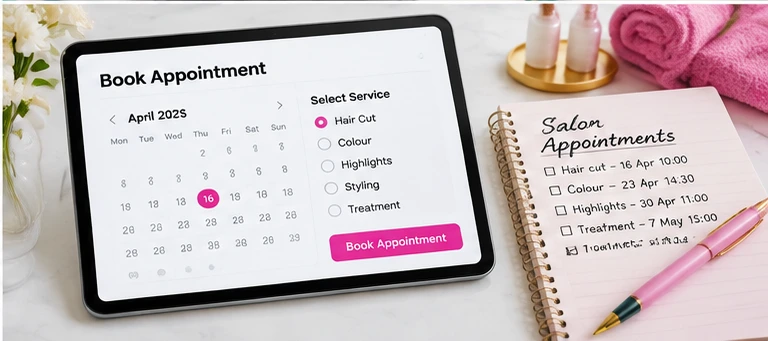
On the bookings-enabled site for [business or website], show appointments for [Wednesday 25 November 2026] in [Bristol], including service and time.
On the bookings-enabled site for [business or website], show appointments for [Thursday 26 November 2026] in [Edinburgh], including service and time.
On the bookings-enabled site for [business or website], show appointments for [Friday 27 November 2026] in [Brighton], including service and time.
On my enabled booking site, confirm booking [ORD-2401] for [brand photography] at [18:30] on [Tuesday 24 November 2026]. Tell me the updated booking status.
On my enabled booking site, confirm booking [ORD-2402] for [website redesign] at [19:00] on [Wednesday 25 November 2026]. Tell me the updated booking status.
On my enabled booking site, confirm booking [ORD-2403] for [menu design] at [14:00] on [Thursday 26 November 2026]. Tell me the updated booking status.
On my enabled booking site, confirm booking [ORD-2404] for [salon consultation] at [11:30] on [Friday 27 November 2026]. Tell me the updated booking status.
Cancel booking [ORD-2401] for [brand photography] on [Tuesday 24 November 2026] on my bookings-enabled site for [business or website]. Report the updated status.
Cancel booking [ORD-2402] for [website redesign] on [Wednesday 25 November 2026] on my bookings-enabled site for [business or website]. Report the updated status.
Cancel booking [ORD-2403] for [menu design] on [Thursday 26 November 2026] on my bookings-enabled site for [business or website]. Report the updated status.
Cancel booking [ORD-2404] for [salon consultation] on [Friday 27 November 2026] on my bookings-enabled site for [business or website]. Report the updated status.
Close [Tuesday 24 November 2026] for new appointments on the bookings-enabled site for [business or website]. Show any existing bookings separately.
Close [Wednesday 25 November 2026] for new appointments on the bookings-enabled site for [business or website]. Show any existing bookings separately.
Close [Thursday 26 November 2026] for new appointments on the bookings-enabled site for [business or website]. Show any existing bookings separately.
Close [Friday 27 November 2026] for new appointments on the bookings-enabled site for [business or website]. Show any existing bookings separately.
Update availability for [brand photography] on [Tuesday 24 November 2026] to [10:00 to 16:00] on my enabled booking website.
Update availability for [website redesign] on [Wednesday 25 November 2026] to [10:00 to 16:00] on my enabled booking website.
Update availability for [menu design] on [Thursday 26 November 2026] to [10:00 to 16:00] on my enabled booking website.
Update availability for [salon consultation] on [Friday 27 November 2026] to [10:00 to 16:00] on my enabled booking website.
Summarise the upcoming [brand photography] appointments on [Tuesday 24 November 2026] from the enabled booking site for [business or website].
Summarise the upcoming [website redesign] appointments on [Wednesday 25 November 2026] from the enabled booking site for [business or website].
Summarise the upcoming [menu design] appointments on [Thursday 26 November 2026] from the enabled booking site for [business or website].
Summarise the upcoming [salon consultation] appointments on [Friday 27 November 2026] from the enabled booking site for [business or website].
Update the [brand photography] service description on my enabled booking site to [A friendly consultation followed by a tailored appointment].
Update the [website redesign] service description on my enabled booking site to [A friendly consultation followed by a tailored appointment].
Update the [menu design] service description on my enabled booking site to [A friendly consultation followed by a tailored appointment].
Update the [salon consultation] service description on my enabled booking site to [A friendly consultation followed by a tailored appointment].
Show new booking enquiries for [brand photography] from my bookings-enabled site and summarise them here on WhatsApp.
Show new booking enquiries for [website redesign] from my bookings-enabled site and summarise them here on WhatsApp.
Show new booking enquiries for [menu design] from my bookings-enabled site and summarise them here on WhatsApp.
Show new booking enquiries for [salon consultation] from my bookings-enabled site and summarise them here on WhatsApp.
Ways to prompt it
- On the bookings-enabled site for [business or website], show appointments for [Tuesday 24 November 2026] in [Manchester], including service and time.Try on WhatsApp
- On my enabled booking site, confirm booking [ORD-2401] for [brand photography] at [18:30] on [Tuesday 24 November 2026].Try on WhatsApp
- Cancel booking [ORD-2401] for [brand photography] on [Tuesday 24 November 2026] on my bookings-enabled site for [business or website].Try on WhatsApp
- Close [Tuesday 24 November 2026] for new appointments on the bookings-enabled site for [business or website].Try on WhatsApp
- Update availability for [brand photography] on [Tuesday 24 November 2026] to [10:00 to 16:00] on my enabled booking website.Try on WhatsApp
- Summarise the upcoming [brand photography] appointments on [Tuesday 24 November 2026] from the enabled booking site for [business or website].Try on WhatsApp
- Update the [brand photography] service description on my enabled booking site to [A friendly consultation followed by a tailored appointment].Try on WhatsApp
- Show new booking enquiries for [brand photography] from my bookings-enabled site and summarise them here on WhatsApp.Try on WhatsApp
- On the bookings-enabled site for [business or website], show appointments for [Wednesday 25 November 2026] in [Bristol], including service and time.Try on WhatsApp
- On my enabled booking site, confirm booking [ORD-2402] for [website redesign] at [19:00] on [Wednesday 25 November 2026].Try on WhatsApp