
Create a poster for [business or website] with a scannable website QR code, [forest green] branding and the heading [Chat with our team].
Examples
Poster QR: Brighton
Styled QR codes, updatable permanent links and scan counts.
Full prompt
What Pammy does
I create QR codes for websites, files, menus, contact details or Wi-Fi. They can be plain or styled with your logo and colours, then added to a poster, business card or table stand. Permanent QR links can be updated later without reprinting, and I can show their scan counts.
Related examples
Create a poster for [business or website] with a scannable website QR code, [coral pink] branding and the heading [Chat with our team].
Create a poster for [business or website] with a scannable website QR code, [navy and gold] branding and the heading [Chat with our team].
Create a QR code linking to [business or website] with [forest green] styling and my attached logo. Return an image I can use on a business card.
Create a QR code linking to [business or website] with [coral pink] styling and my attached logo. Return an image I can use on a business card.
Create a QR code linking to [business or website] with [navy and gold] styling and my attached logo. Return an image I can use on a business card.
Create a QR code linking to [business or website] with [teal] styling and my attached logo. Return an image I can use on a business card.
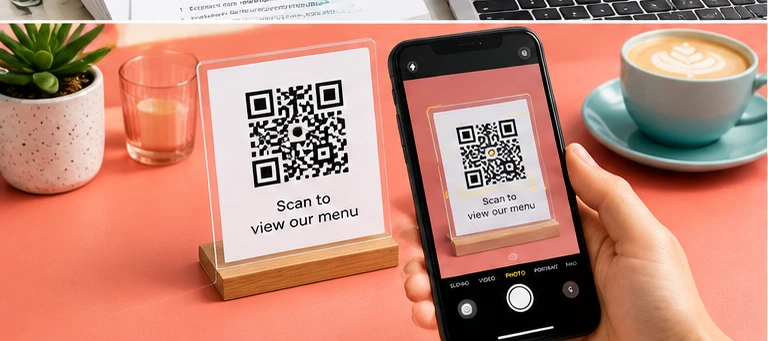
Create a QR code for my menu at [business or website] and place it on a table stand design with the caption [Scan for our menu].
Create a QR code for my menu at [business or website] and place it on a table stand design with the caption [Scan for our menu].
Create a QR code for my menu at [business or website] and place it on a table stand design with the caption [Scan for our menu].
Create a QR code for my menu at [business or website] and place it on a table stand design with the caption [Scan for our menu].
Create a Wi-Fi QR code using network [StudioGuest1] and the example password [ExampleGuest!2401]. Use [forest green] accents.
Create a Wi-Fi QR code using network [StudioGuest2] and the example password [ExampleGuest!2402]. Use [coral pink] accents.
Create a Wi-Fi QR code using network [StudioGuest3] and the example password [ExampleGuest!2403]. Use [navy and gold] accents.
Create a Wi-Fi QR code using network [StudioGuest4] and the example password [ExampleGuest!2404]. Use [teal] accents.
Create a contact-details QR code for [business or website] using my approved contact file, with a clean [forest green] design.
Create a contact-details QR code for [business or website] using my approved contact file, with a clean [coral pink] design.
Create a contact-details QR code for [business or website] using my approved contact file, with a clean [navy and gold] design.
Create a contact-details QR code for [business or website] using my approved contact file, with a clean [teal] design.
Create a QR code linking to my approved public brochure file at [business or website]. Add it to a flyer design.
Create a QR code linking to my approved public brochure file at [business or website]. Add it to a flyer design.
Create a QR code linking to my approved public brochure file at [business or website]. Add it to a flyer design.
Create a QR code linking to my approved public brochure file at [business or website]. Add it to a flyer design.
Update the destination of my existing permanent QR link to [business or website] so the printed code does not need reprinting.
Update the destination of my existing permanent QR link to [business or website] so the printed code does not need reprinting.
Update the destination of my existing permanent QR link to [business or website] so the printed code does not need reprinting.
Update the destination of my existing permanent QR link to [business or website] so the printed code does not need reprinting.
Show scan counts for my existing permanent QR link labelled [sustainable packaging] and explain the time period shown.
Show scan counts for my existing permanent QR link labelled [seasonal menus] and explain the time period shown.
Show scan counts for my existing permanent QR link labelled [studio bookings] and explain the time period shown.
Show scan counts for my existing permanent QR link labelled [customer enquiries] and explain the time period shown.
Create a poster for [business or website] with a scannable website QR code, [forest green] branding and the heading [Chat with our team].
Create a poster for [business or website] with a scannable website QR code, [coral pink] branding and the heading [Chat with our team].
Create a poster for [business or website] with a scannable website QR code, [navy and gold] branding and the heading [Chat with our team].
Create a poster for [business or website] with a scannable website QR code, [teal] branding and the heading [Chat with our team].