
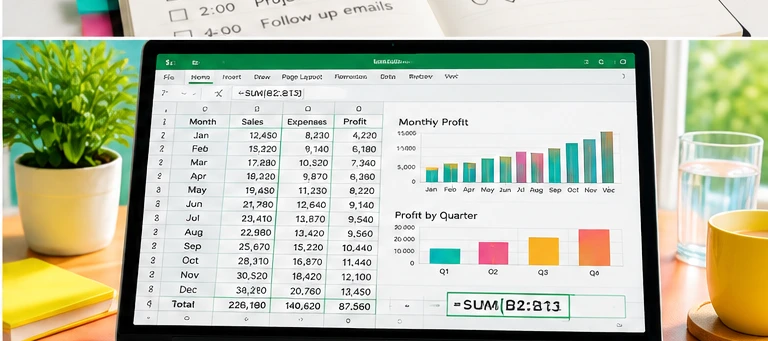
Create a summary sheet of [sales totals] from my supplied workbook with totals, a chart and notes on incomplete data.
Examples
Workbook summary: Edinburgh
Clean data, build formulas, compare figures and create charts or workbooks.
Full prompt
What Pammy does
I clean and organise data, calculate totals, build formulas, compare figures and make charts or trackers. Send a spreadsheet or statement and ask a specific question, or have me produce a new workbook with the analysis laid out.
Related examples
Create a summary sheet of [expense totals] from my supplied workbook with totals, a chart and notes on incomplete data.
Create a summary sheet of [enquiry counts] from my supplied workbook with totals, a chart and notes on incomplete data.
Clean my attached [Word] workbook for [business or website]: remove exact duplicates, standardise dates and explain all changes.
Clean my attached [PDF] workbook for [business or website]: remove exact duplicates, standardise dates and explain all changes.
Clean my attached [Excel] workbook for [business or website]: remove exact duplicates, standardise dates and explain all changes.
Clean my attached [PowerPoint] workbook for [business or website]: remove exact duplicates, standardise dates and explain all changes.
Calculate monthly totals for [sales totals] from my attached spreadsheet. Show the formulas and identify missing entries.
Calculate monthly totals for [expense totals] from my attached spreadsheet. Show the formulas and identify missing entries.
Calculate monthly totals for [booking counts] from my attached spreadsheet. Show the formulas and identify missing entries.
Calculate monthly totals for [enquiry counts] from my attached spreadsheet. Show the formulas and identify missing entries.
Compare [sales totals] across [January, February and March] in the supplied workbook and create a labelled chart.
Compare [expense totals] across [January, February and March] in the supplied workbook and create a labelled chart.
Compare [booking counts] across [January, February and March] in the supplied workbook and create a labelled chart.
Compare [enquiry counts] across [January, February and March] in the supplied workbook and create a labelled chart.
Build a formula to sum [sales totals] by [Manchester] in my workbook and explain how the formula works.
Build a formula to sum [expense totals] by [Bristol] in my workbook and explain how the formula works.
Build a formula to sum [booking counts] by [Edinburgh] in my workbook and explain how the formula works.
Build a formula to sum [enquiry counts] by [Brighton] in my workbook and explain how the formula works.
Create a [sustainable packaging] tracker workbook for [business or website] with columns for [date, owner, status and next action] and sensible validation.
Create a [seasonal menus] tracker workbook for [business or website] with columns for [date, owner, status and next action] and sensible validation.
Create a [studio bookings] tracker workbook for [business or website] with columns for [date, owner, status and next action] and sensible validation.
Create a [customer enquiries] tracker workbook for [business or website] with columns for [date, owner, status and next action] and sensible validation.
Review my attached [Excel] statement and group the supplied transactions by category. Calculate totals without inventing missing values.
Review my attached [PDF] statement and group the supplied transactions by category. Calculate totals without inventing missing values.
Review my attached [CSV] statement and group the supplied transactions by category. Calculate totals without inventing missing values.
Review my attached [Excel] statement and group the supplied transactions by category. Calculate totals without inventing missing values.
Use my attached [Word] spreadsheet to answer [Which month has the highest total and what changed?]. Show the supporting rows.
Use my attached [PDF] spreadsheet to answer [Which month has the highest total and what changed?]. Show the supporting rows.
Use my attached [Excel] spreadsheet to answer [Which month has the highest total and what changed?]. Show the supporting rows.
Use my attached [PowerPoint] spreadsheet to answer [Which month has the highest total and what changed?]. Show the supporting rows.
Create a summary sheet of [sales totals] from my supplied workbook with totals, a chart and notes on incomplete data.
Create a summary sheet of [expense totals] from my supplied workbook with totals, a chart and notes on incomplete data.
Create a summary sheet of [booking counts] from my supplied workbook with totals, a chart and notes on incomplete data.
Create a summary sheet of [enquiry counts] from my supplied workbook with totals, a chart and notes on incomplete data.